Loupa. We designed a product for creative studios and built it ourselves.
From the first note to a live app on its own domain: problem research, information architecture, UX, UI, logo, frontend, backend and launch. One team, seven weeks, no hand-offs between agencies.
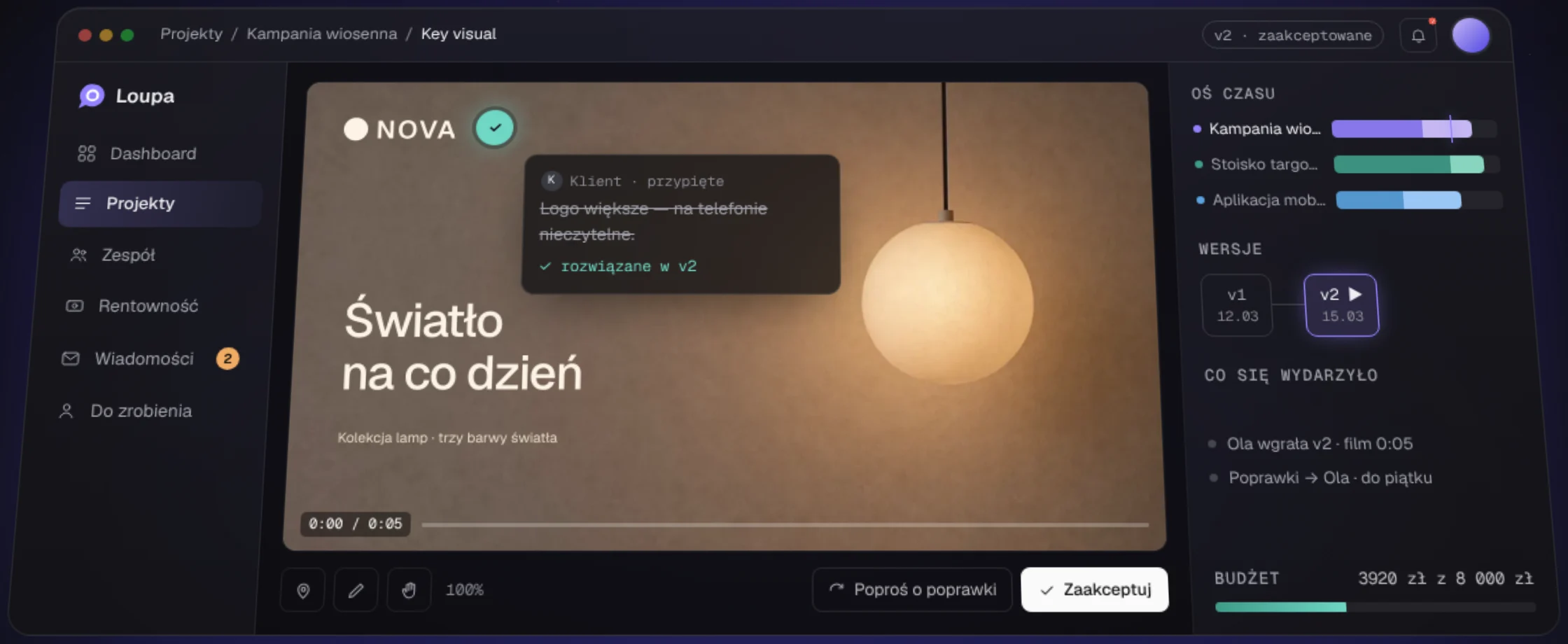
Feedback that gets lost on the way
A studio sends the client a film, a deck and a key visual. Notes come back by email, on Slack, in a voice memo and in an annotated PDF. Nobody knows which version they refer to, who approved what, or what the third round of changes cost.
“Can you move the logo, the one in the middle, slide 4 I think, or was it in the second film?”
- Email thread, 14 replies
- Slack, three channels
- Voice memo on WhatsApp
- “Which version is this?”
- “Maybe in the second film”
Make the logo bigger, it is unreadable on a phone.
✓ resolved in v2 · approved with name and timeEvery product discipline in one team
Loupa never went through a chain of subcontractors. Every decision, from a stage name to a database security policy, was made in-house, so design and code never drifted apart.
Product management
MVP scope, a P0 and P1 backlog, and the spec for turning Loupa into an operating system for studios: 31 chapters of principles and acceptance criteria.
Information architecture
Walkthroughs as a manager, a designer and a client. Navigation cut to six items, separate worlds for the studio and the client.
Flows
A first-run wizard, one client link per project, mobile review with comments in a bottom sheet.
Interface and design system
Tokens, three heading levels, contrast checked by the numbers. A chart palette tested for colour blindness.
Mark and name
The “attention pin” logo, chosen from four directions. A loupe over the work and a pin on an exact spot, in one shape.
Application
Next.js 15, React 19, Tailwind 4. Drawing on video frames, pinch to zoom, a project timeline, a landing page with a WebGL aurora.
Data and security
Supabase Postgres with RLS policies, Google sign-in, server-side previews for video, PDF, PowerPoint and Word, Stripe Connect payouts.
Launch and SEO
Vercel, the loupa.online domain, error monitoring, an English version with hreflang, structured data and llms.txt for AI search.
Seven weeks, rebuilt from the commit history
Every point below is a real date from the repository. Key turns are marked in colour.
- 24.08
A working MVP
Manager dashboard, roles, messages and a Supabase database. A real product from day one, not a mock-up.
- 29–30.08
Dashboard as the first screen
Accessibility audit, Google sign-in, project type as “one column instead of a second app”.
- 31.08–01.09
The studio as a business
Mobile navigation, team invites, several studios per account, invoices and Stripe Connect payouts.
- 21.09
The pivot: from a tool to a studio operating system
A new product spec. The “screens tell the truth” rule: a success message only after a successful save.
- 22.09
One link for the client
The whole project at one address, guests see the work immediately, the review room rebuilt for phones.
- 23.09
A new visual direction
Reference research, then a synthesis: a graphite canvas, one accent, a hierarchy of weights instead of bold.
- 25.09
Onboarding shows the process
When you pick a project type, the app draws stages, time and crew before you type anything.
- 27.09
Logo and a bilingual site
The “attention pin” mark chosen, a Polish and English landing page, privacy policy and terms.
- 11.10
loupa.online
Its own domain, a WebGL aurora hero, SEO and visibility in AI answers.
- 13–14.10
Polish before testing
Subtle glass, one meaning per colour for money, projects as a graph of stages and files.
An attention pin with a lens inside
People open Loupa for two reasons: to pin a note to an exact spot, and to look at the work up close. The mark joins both actions in one shape.
Direction C of four. A solid lavender shape, no gradient and no hairlines, so the mark stays legible even as a 16-pixel browser tab icon.
The artboard is cropped to the shape, so the name sits right next to the symbol and reads as one word.
A calm canvas, one accent, colour only for a reason
Every value lives in one token file. Change the top of that file and the whole product follows, while a source document explains why each value is what it is.
- 01Colour other than the accent means state or data only. Never decoration.
- 02Nothing below 12 px. Secondary text contrast 6.5:1.
- 03A touch target of at least 44 px for every action.
- 04Income always teal, costs always lavender, loss always red.
- 05Labels in full words, never cut to four letters.
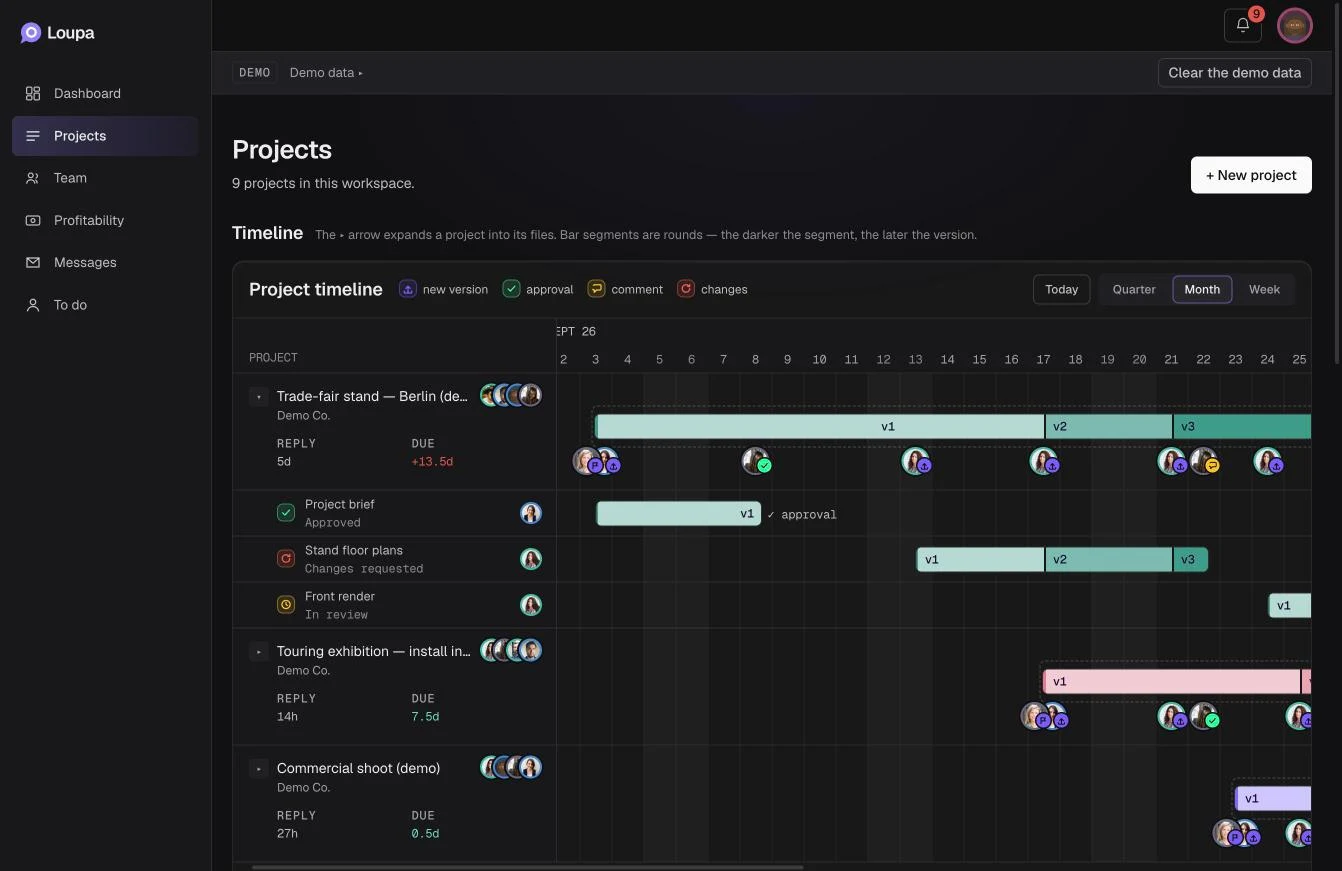
- 06The timeline is the product's strongest feature, so it never hides behind a toggle.
Hierarchy first, colour second
The manager dashboard answers three questions at a glance: what needs me, what is at risk and how the studio is doing financially. Drag the slider to see the wireframe turn into the finished screen.
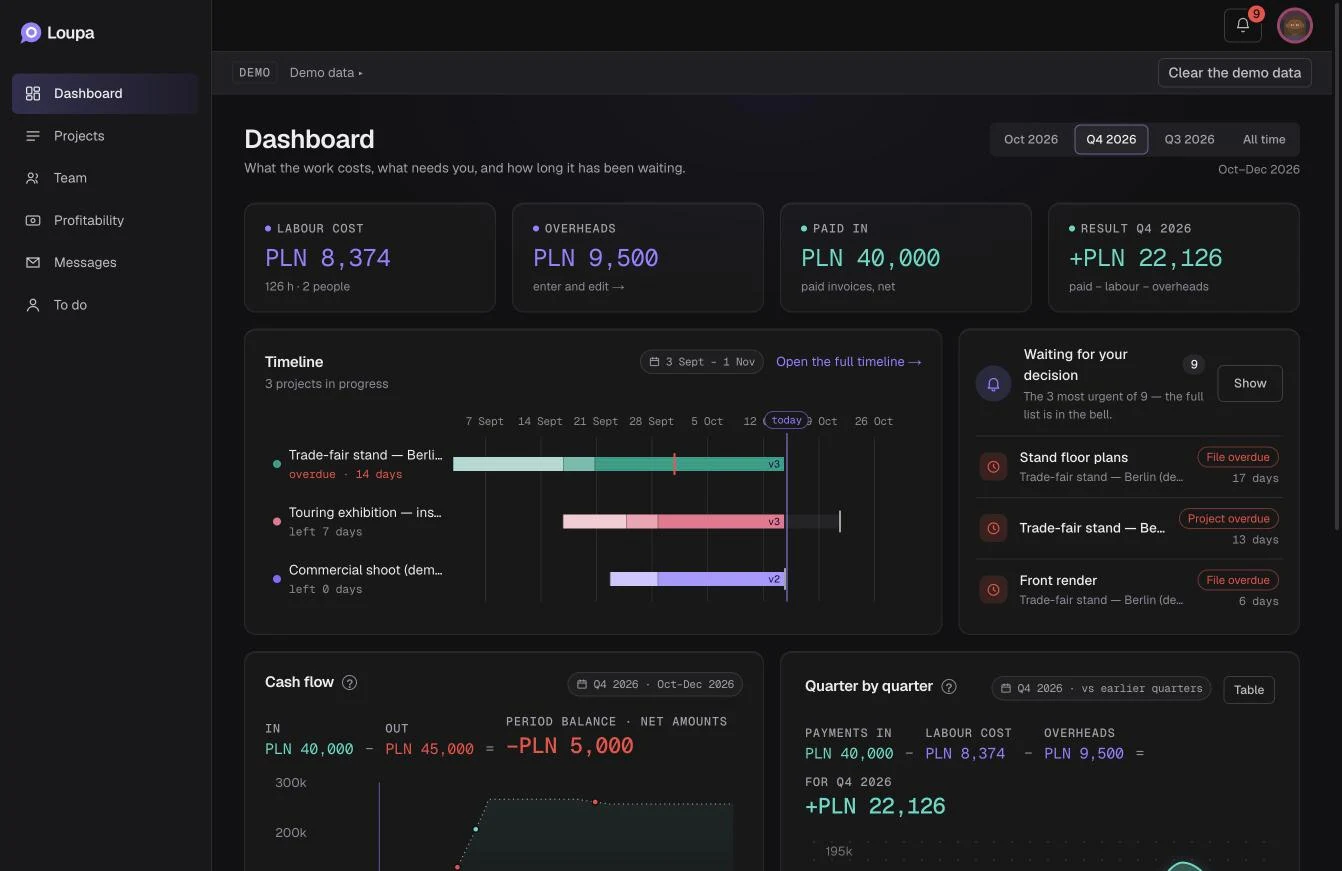 WireframeInterface
The review room: the heart of the product
This is where the work, the notes and the decision meet. Tap a number to see what we designed and why.
01A note pinned to the spot
Every comment has an anchor: a second of film, a page number or a point on an image. Clicking the note jumps the work right there.
02Versions next to the work
Re-uploading a file creates v2, v3 and reopens review. The history of rounds is always at hand.
03Drawing on the frame
Freehand, box, arrow. Picking a tool pauses the video, because you cannot mark a moving target.
04The decision is the strongest element
“Request changes” and “Approve” open a dialog that says what will happen next, then record the decision with a name and a time.
05Budget visible while you work
Cost comes from logged hours and rates. A manager sees what another round costs before the project ends.
06A timeline of every project
Studio context without leaving review: each project a bar, each round a darker segment.
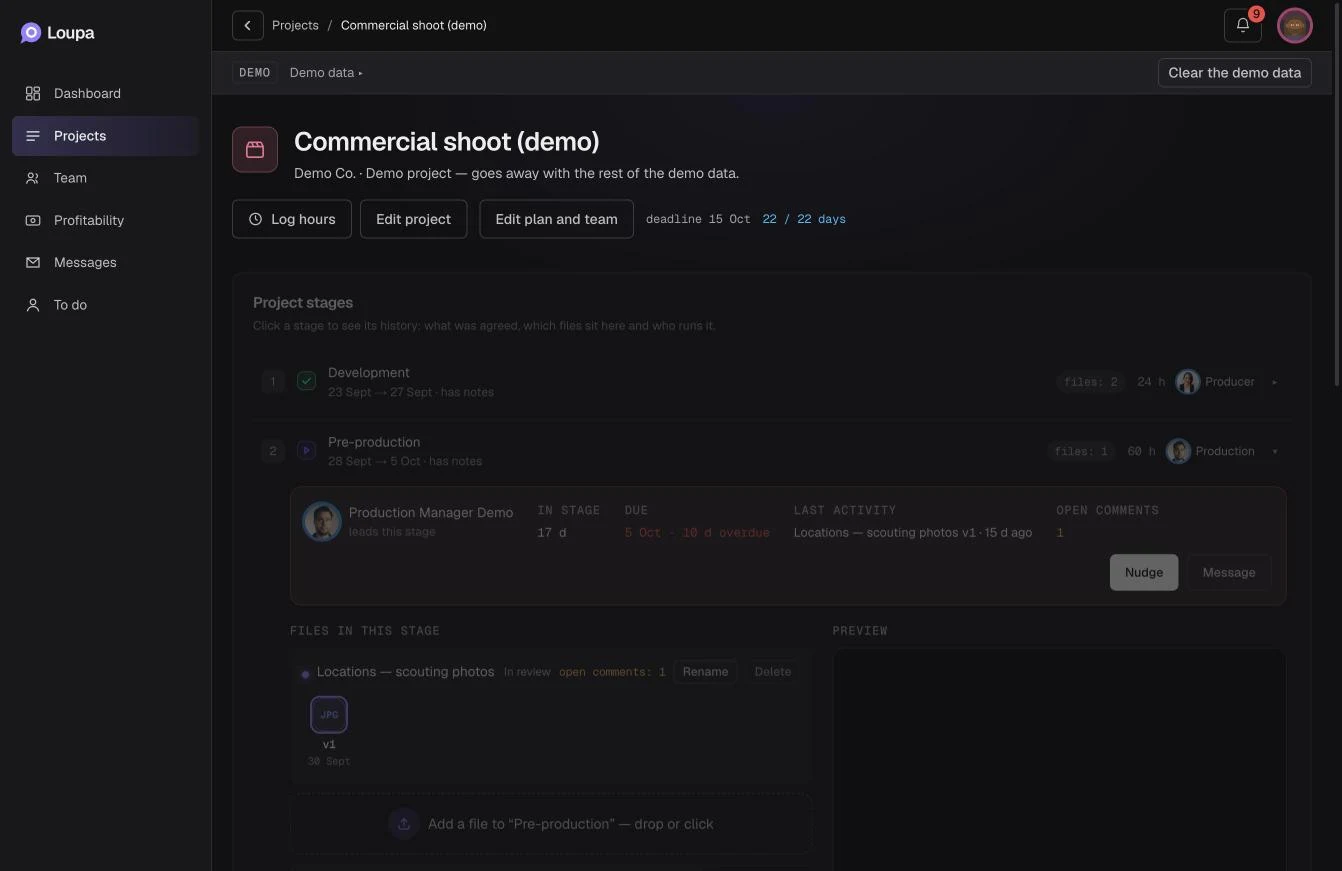
Clients never create an account. They get one link.
The hardest UX decision in the project: the client sees the work before we ask for anything. They give their name only with their first comment.
One address covers the whole project: film, deck and key visual, with previous and next buttons. On a phone, comments slide up from the bottom and decisions sit in a bar under the thumb.
A backend that enforces the rules itself
A designer sees only their own rate, a manager sees the whole team's costs, a client sees nothing internal. That is not interface politeness, it is a rule written into the database and checked by an automated test.
Studio
Google sign-in, roles: owner, manager, designer, client.
Guest with a link
A review room without an account. Link scope checked on every request.
Next.js on Vercel
One path to the database: every query runs as a specific person, with their permissions.
ffmpeg · poppler · LibreOffice
Video frame strips, PDF pages, decks and Word documents turned into images you can comment on.
Supabase Postgres + RLS
Security policies in the database. Data in the EU.
Stripe Connect
Invoices, payments and payouts. Project cost computed from hours and rates.
Sentry + RLS test
Error monitoring and a test proving the same queries return different data to different roles.
Every change of state is recorded as an event. Bars, metrics and costs are computed from that log, so the report cannot drift from reality.
Live, in testing, growing
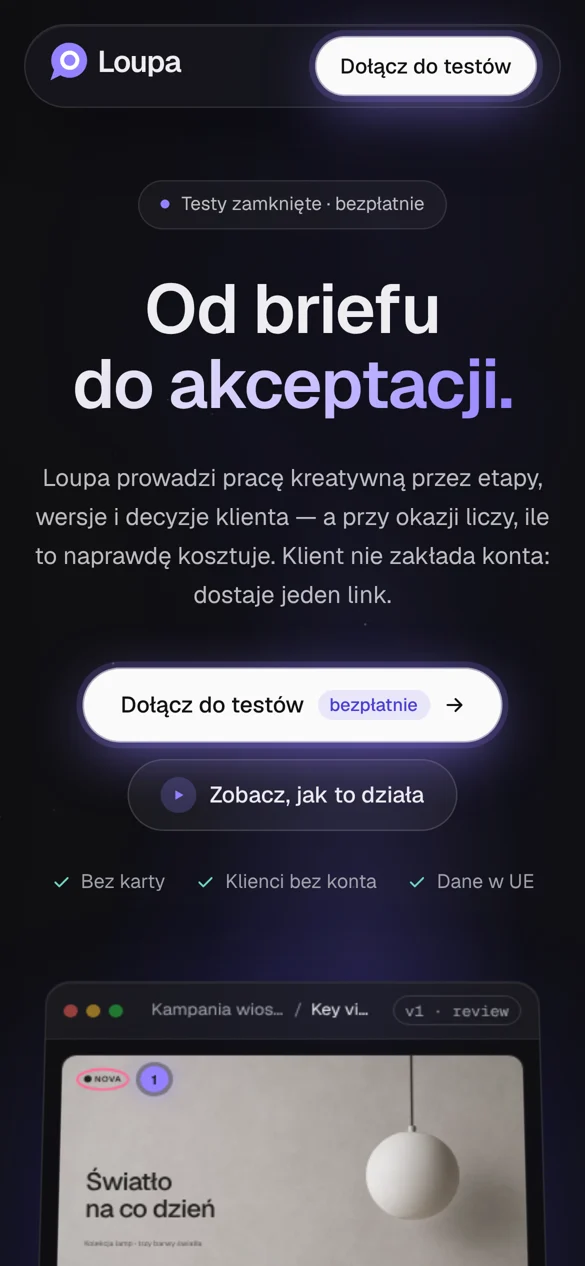
Closed beta. Loupa runs at loupa.online and the first studios are testing it free on their own projects. Tester feedback goes straight into the app through a “Report a problem” button.
Join the beta ↗One chain, someone made it, someone reviewed it, someone decided, and twelve stage templates:
Have an idea for an app? We will design it and build it.
From problem research and wireframes to a working product with a backend and its own domain. The first call and an initial quote are free.